

Prerequisites
- A signed-in dashboard account at app.agntix.ai.
- An existing agent (see Build your first agent). You’ll attach the store to it in Step 4.
- The files you want to index (PDF, DOCX, or CSV), or a list of public URLs to scrape.
Step 1: Open the Knowledge Store page
From the left navigation, click Knowledge Store. You’ll land on a two-column layout — list of stores on the left, details for the selected store on the right.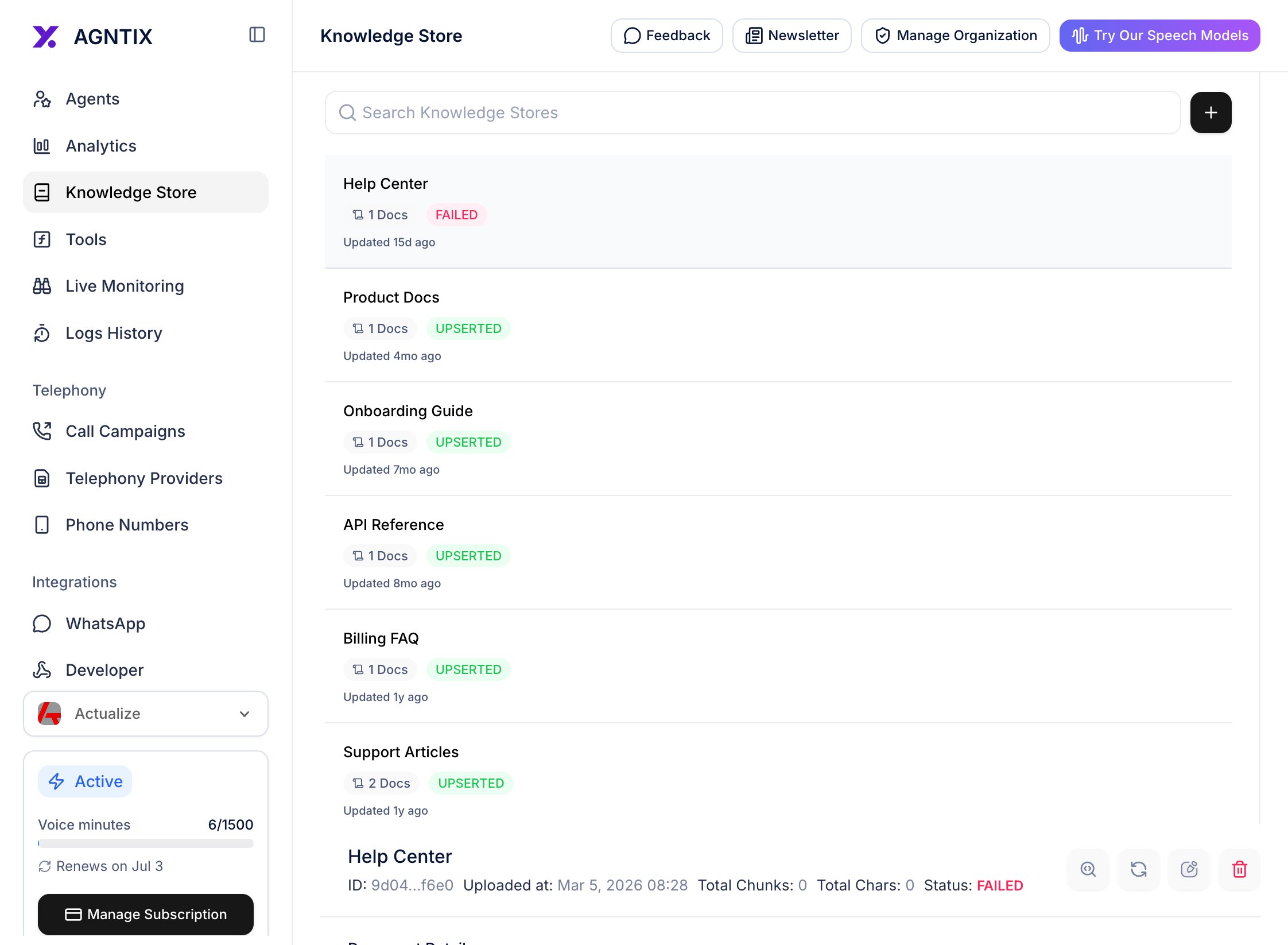
The Knowledge Store page. Click the + button (top of the left panel) to create your first store.
Step 2: Create the store
A modal opens with a single required field — Name. Give the store a descriptive name (8–50 characters). Examples: Help Center, Product Docs FY26, Onboarding playbook.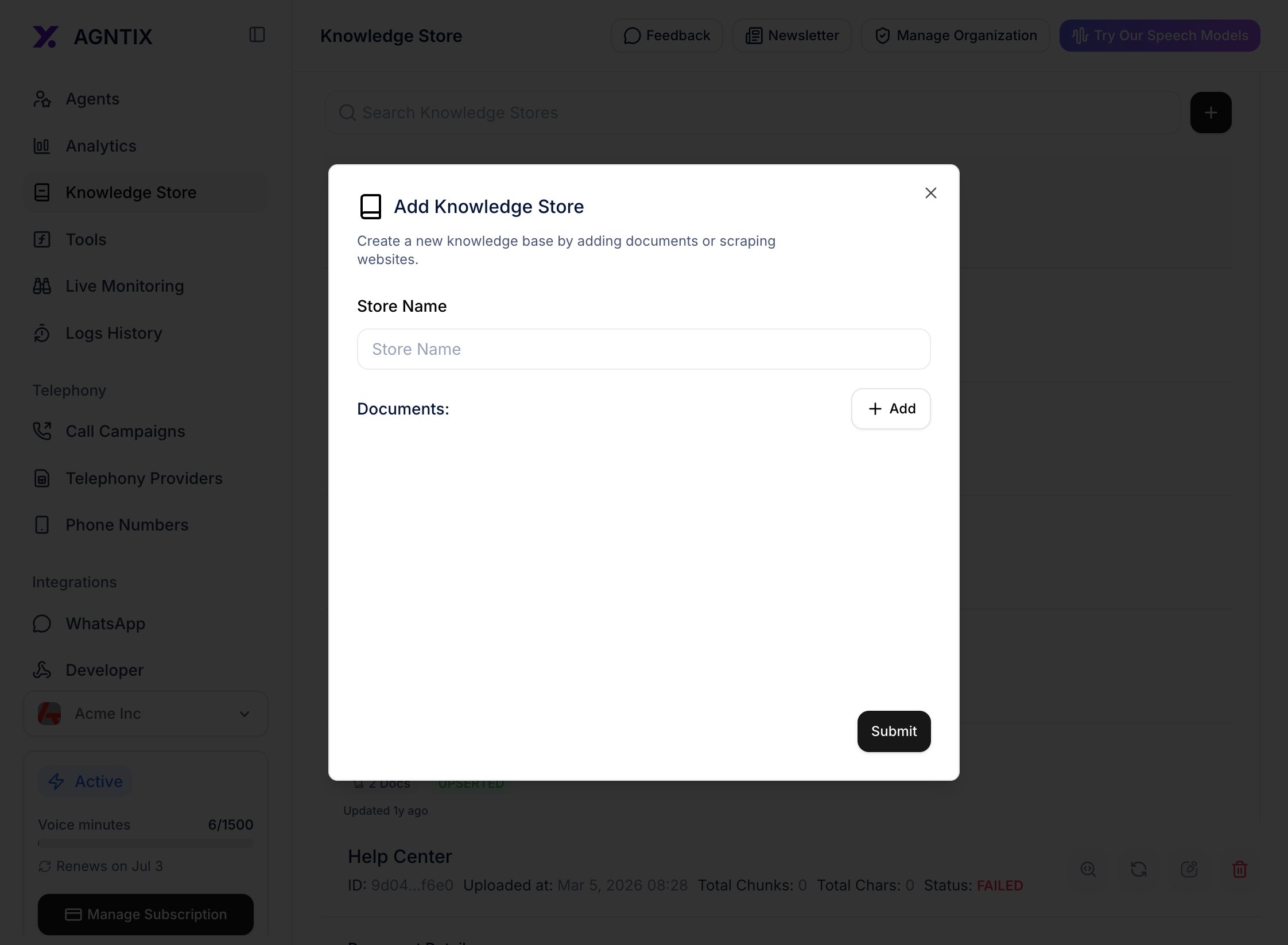
Create Knowledge Store modal — name only. Embeddings, chunking, and the vector index are configured automatically.
Step 3: Upload documents
In the store detail view, click the Add dropdown in the top right. Two sources are supported:- Upload file — PDF, DOCX, CSV (multiple files allowed in one upload).
- Add website — scrape a single URL or a list of URLs.
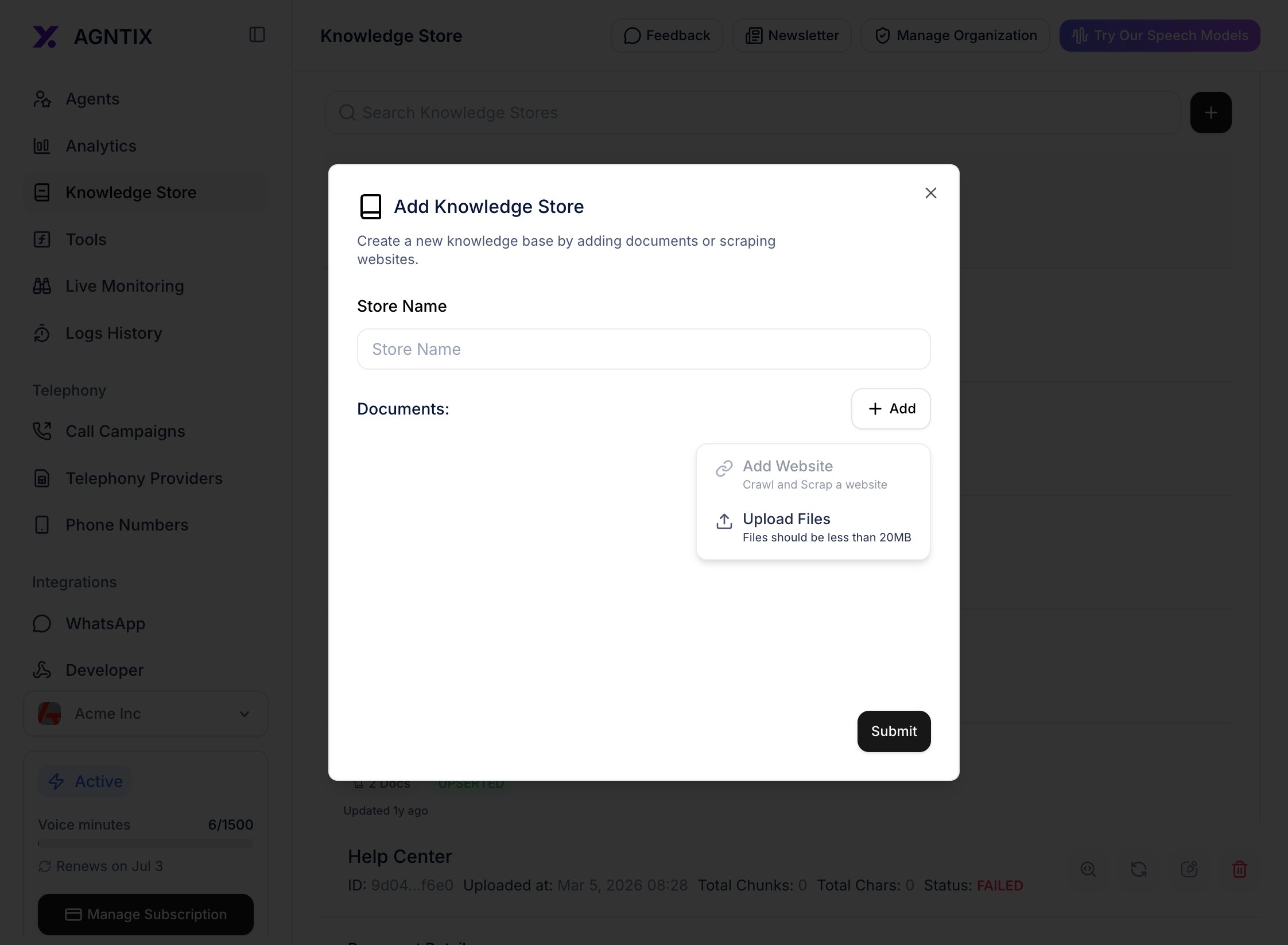
Add dropdown — pick file upload or website scrape.
- Uploading — bytes transfer to the gateway.
- Processing — Agntix chunks the document (~1k tokens per chunk), embeds it (Cohere by default), and writes vectors to Qdrant.
- Ready — the document is searchable.

Upload progress. Status badges flip from Uploading → Processing → Ready.
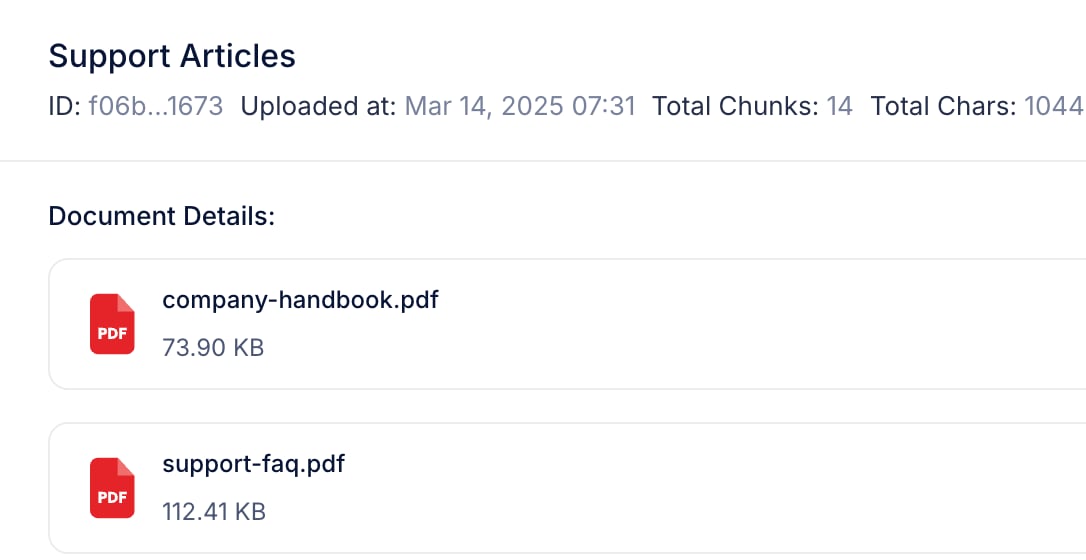
Documents ready for retrieval.
Step 4: Attach the store to an agent
Copy the store’s ID from the Knowledge Store detail view (or from the create-store API response), thenPATCH your agent to enable RAG and point it at the store:
config fields; see the Agents section of the API Reference for the exact field names and ranges.
Step 5: Test with a RAG-grounded question
Click Test Agent in the page header. Ask a question whose answer is in your uploaded documents — something specific enough that a generic LLM wouldn’t know it.
The agent answers from the knowledge store. Source snippets are shown inline (or in the response payload for API users).
Verify it works
- Every uploaded document shows Ready in the store detail view.
- The agent’s
configshowsragEnabled: truewith yourknowledgeStoreId(check viaGET /v1/chat/agents/{id}). - Test Agent answers contain facts that are only in your documents.
- The session log (Analytics tab or
/logs-history) shows the retrieved chunks per message.
Best practices
One topic per store
Narrow stores out-perform giant stores. Split by product, region, or audience.
Refresh on a schedule
Re-upload changed documents. Old chunks are replaced atomically, no downtime.
Always rerank
Cohere reranking adds ~150 ms but cuts hallucinations dramatically.
Cite sources in the prompt
Tell the agent to cite chunk titles. Builds user trust and makes wrong answers easy to debug.